Work the load board like a full dispatch desk.
A Chrome extension for DAT One and Truckstop. One-click broker emails from each carrier’s own Gmail, real $/mi with your deadhead, profit before you call, a broker check on every MC, and calls through your own phone system.
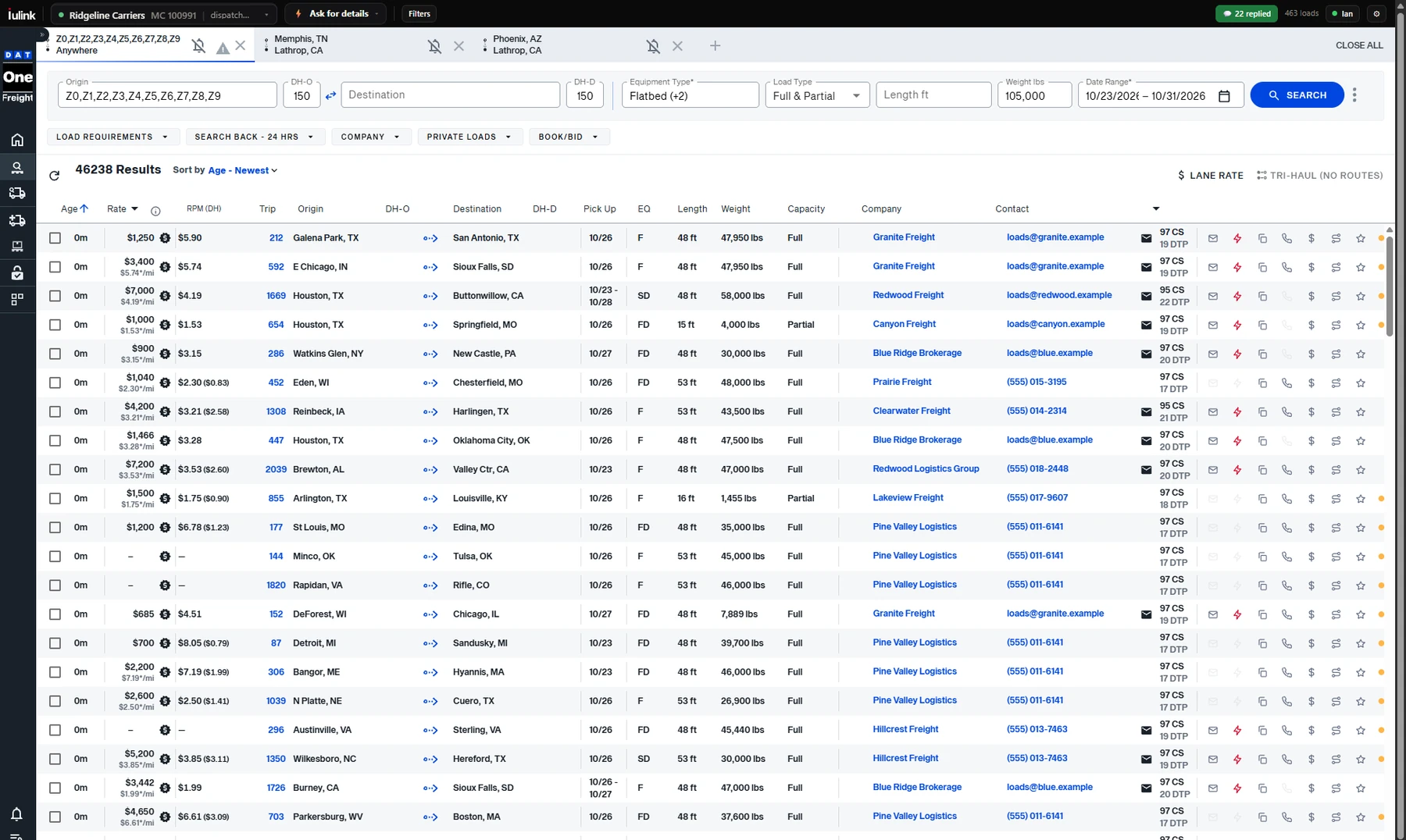
- 1Pick the sender. Carrier, Gmail and template for every email, right on the board.
- 2Real $/mi. Rate per mile, and in brackets with your deadhead.
- 3One-click actions. Email, quick send, copy, call, profit, route, save.
- 4Broker replies. Who wrote back, without leaving the board.
Same board. A desk’s worth of tools on it.
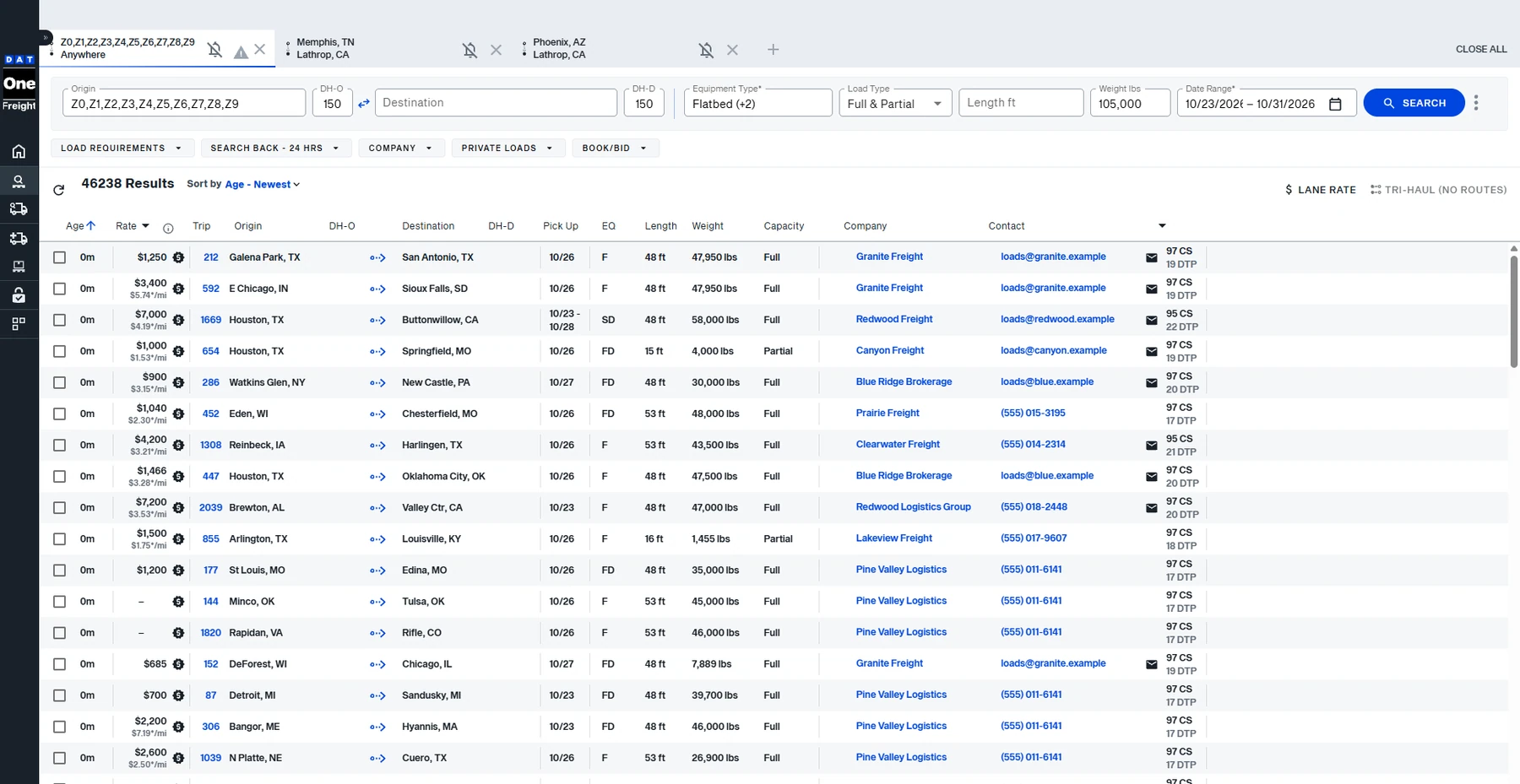
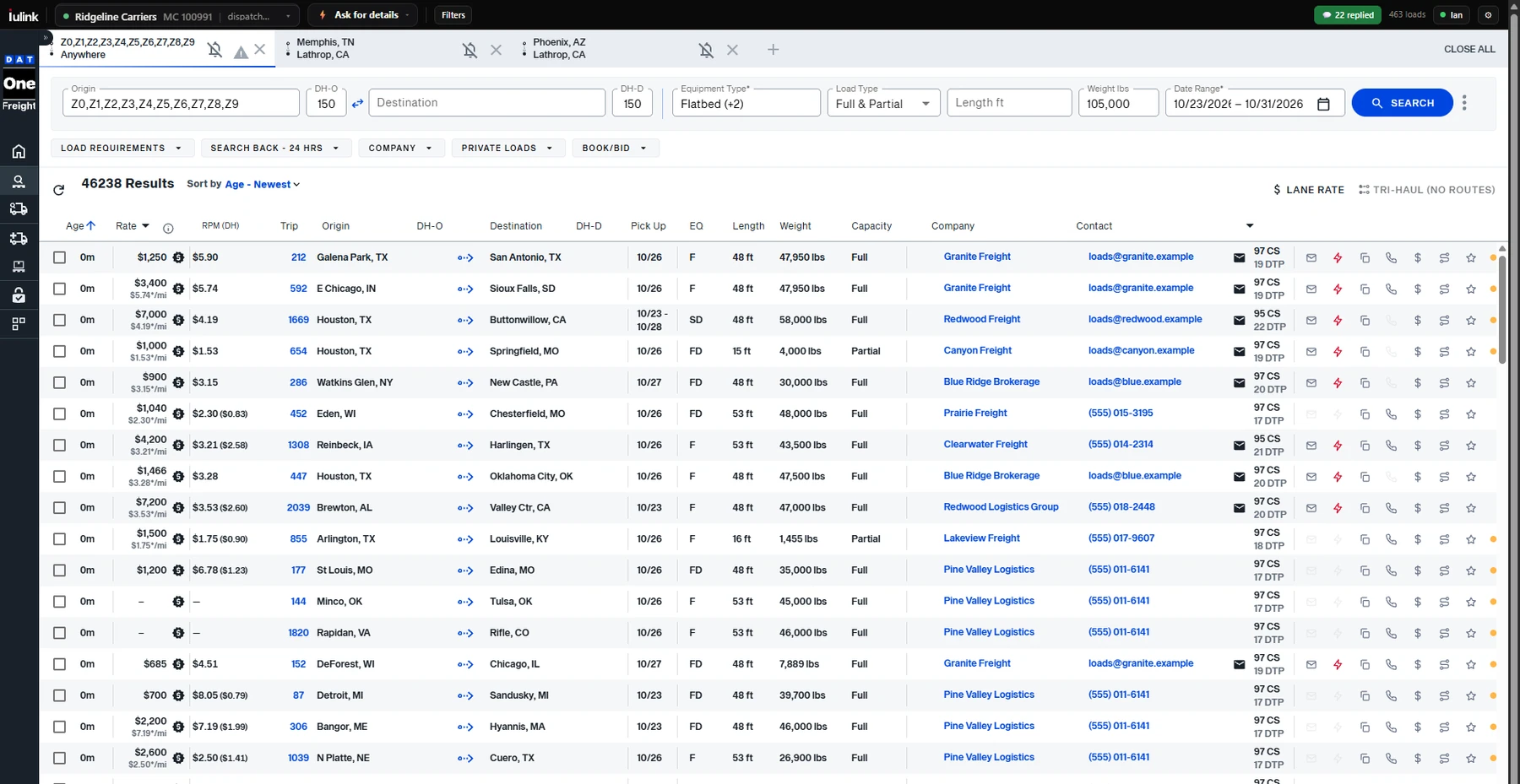
The same search without IULink and with it. You keep your board exactly as it is; IULink adds its tools on top of the results you already see. Captured on live DAT One and Truckstop, with broker names and contacts changed.
Stop retyping the lane into Gmail.
We dispatch freight every day. This is the tool we wanted on the board — so we built it.
Without it every load
- Copy the broker’s email off the posting
- Open Gmail and switch to the right carrier’s account
- Work out deadhead and rate per mile on a calculator
- Look the MC up on SAFER in another tab
- Send, and hope you remember to follow up
With IULink one click
- Click ✉ on the row. Your template is filled in with lane, dates, equipment and your deadhead.
- Ctrl+click to email many. Select the loads you want, press ⚡ Send to 3, and each broker gets their own email with that load’s lane and rate.
- The right sender goes out. Each MC has its own Gmail, signature and templates.
- $/mi, and $/mi with your deadhead, on every row. Each search keeps its own truck location.
- Broker check from FMCSA data on the opened load: authority age, bond, revocations.
- Call with one tap through the sender’s own phone system: Dialpad, RingCentral, 8x8 or your phone app.
- 5-second undo, and a duplicate warning before you email the same load twice.
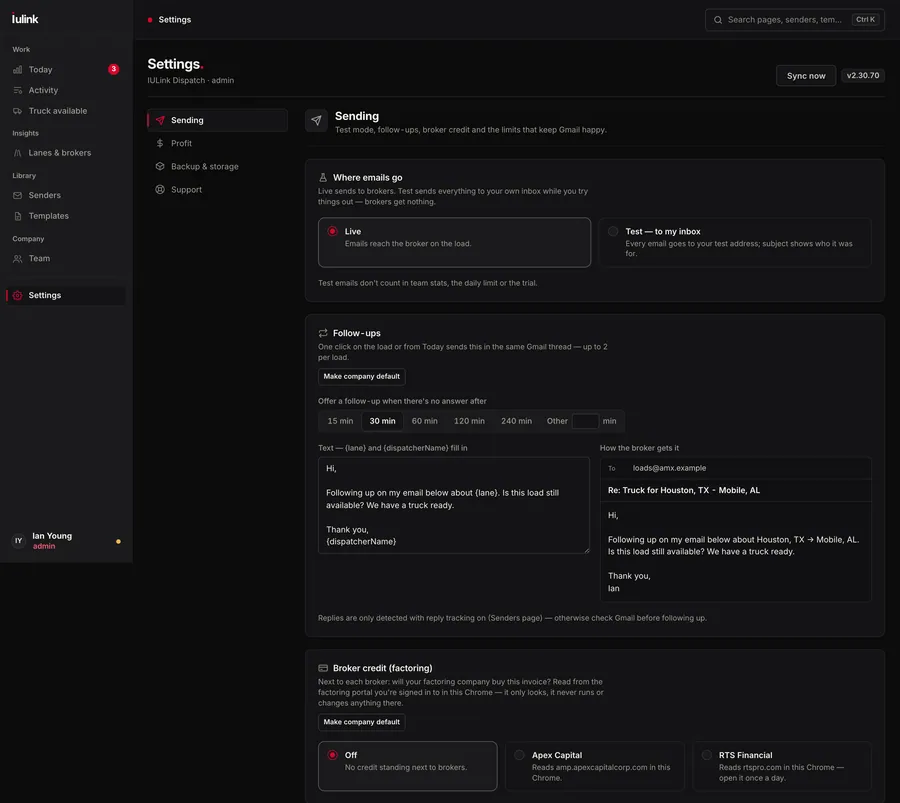
- No reply? One click follows up in the same email thread.
- Call memory. See who you already called, what they offered, or that it’s covered — before you dial again.
Better numbers. Faster emails. Fewer bad brokers.
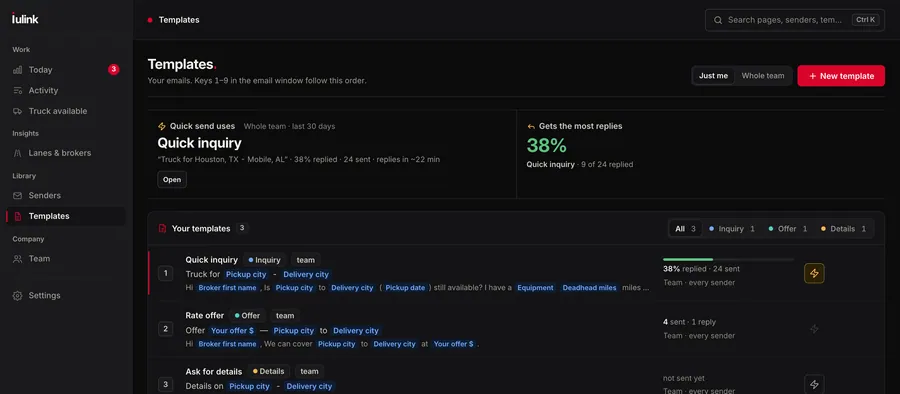
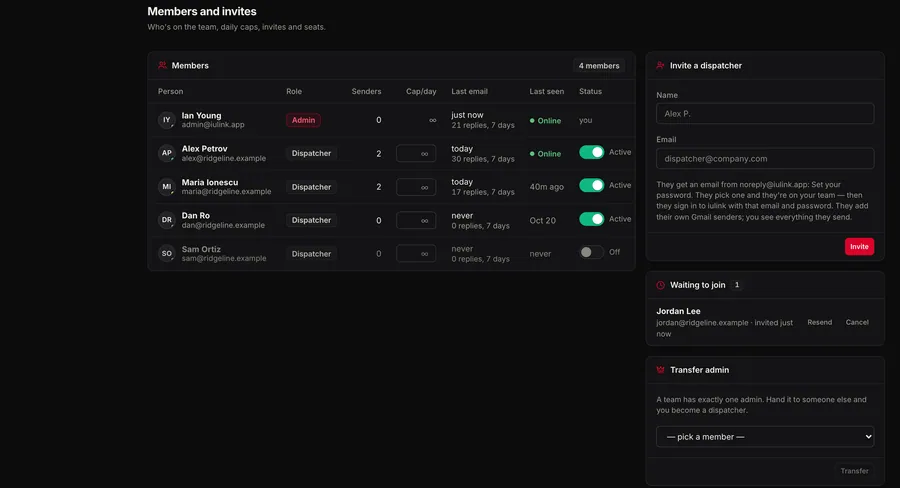
Everything below is the real extension. Board screens are captured on live DAT One and Truckstop with broker names and contacts changed; the email window and dashboard use example data.
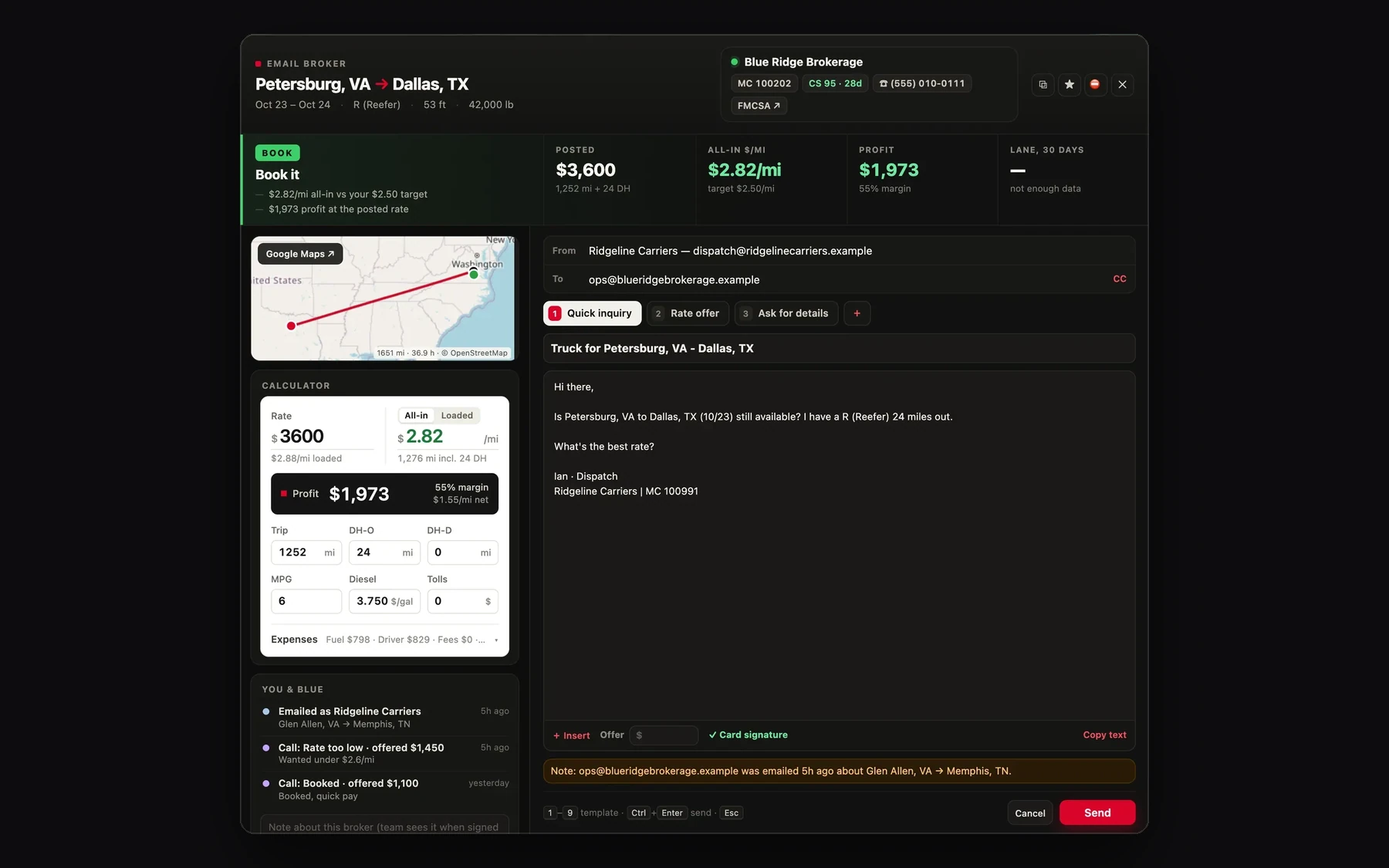
More screens.
Captured from the extension on live load boards (broker names and contacts changed) and its dashboard (example data). Tap any screen to see it full size.
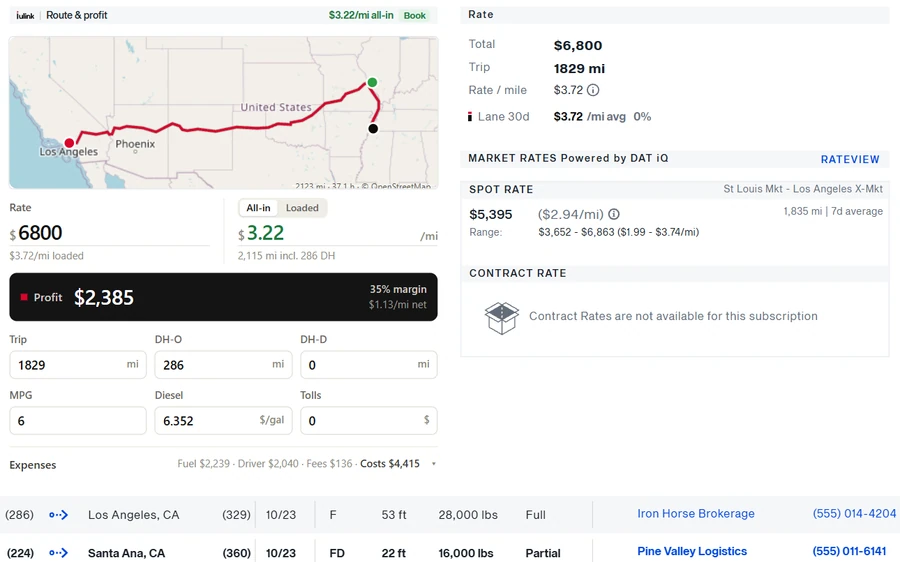 Swipe sideways · tap to enlarge
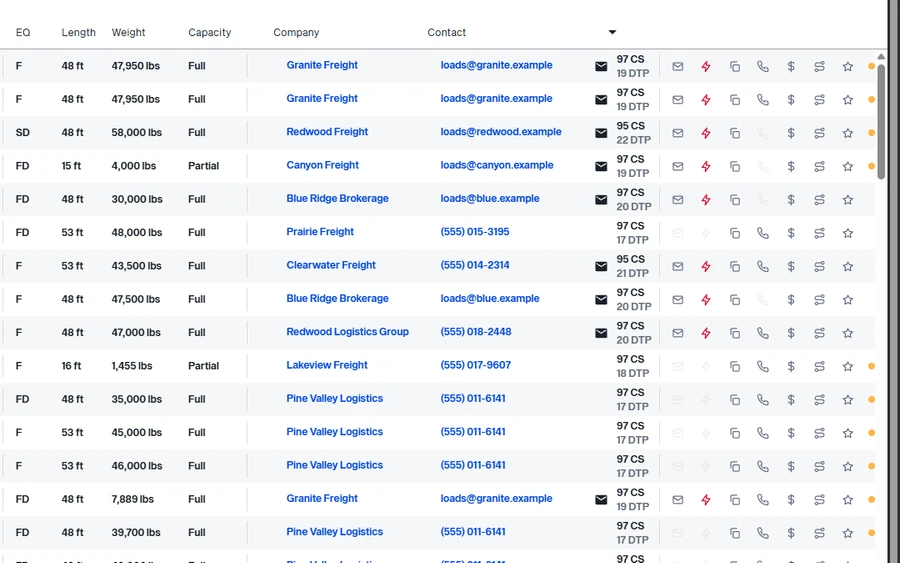 Swipe sideways · tap to enlarge
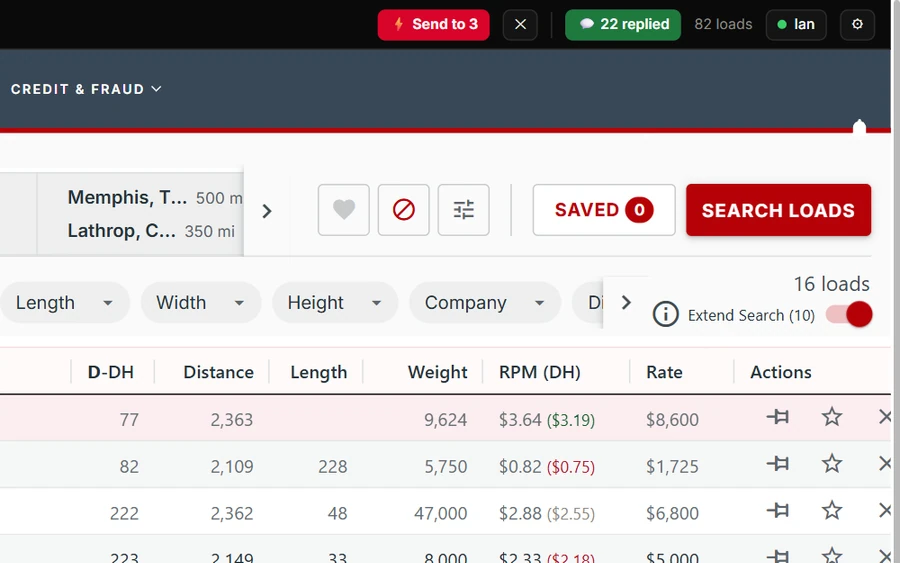 Swipe sideways · tap to enlarge
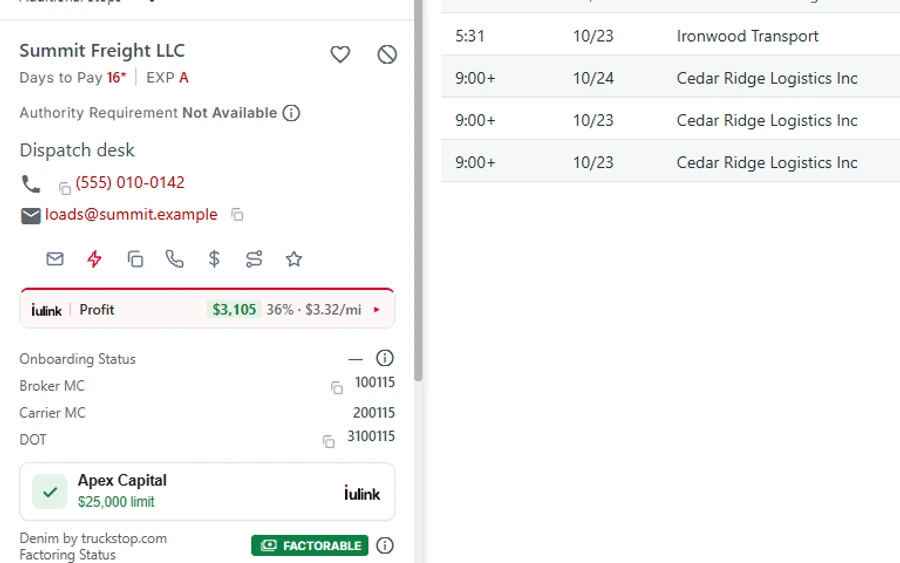 Swipe sideways · tap to enlarge
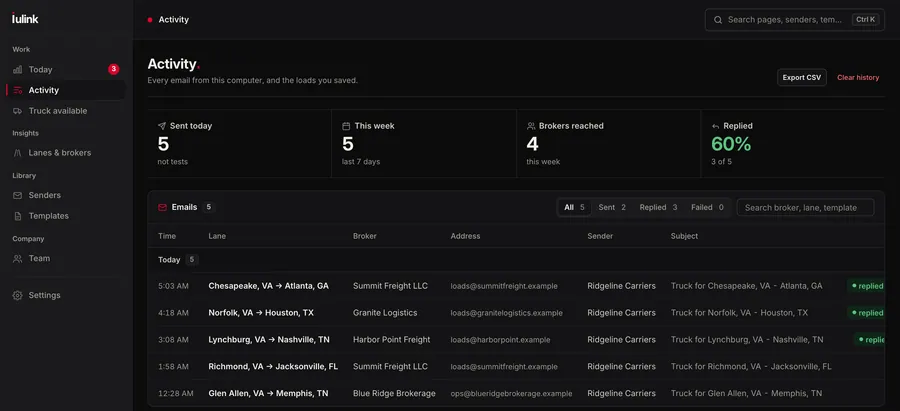 Swipe sideways · tap to enlarge
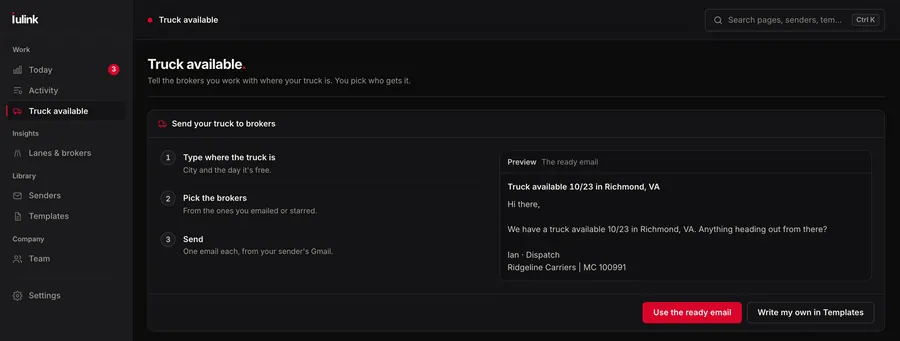 Swipe sideways · tap to enlarge
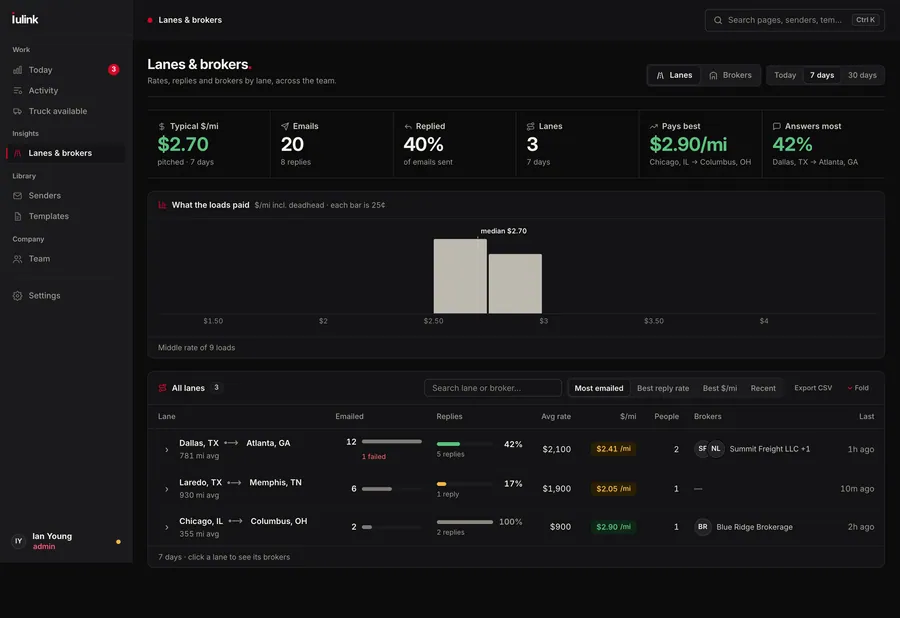 Swipe sideways · tap to enlarge
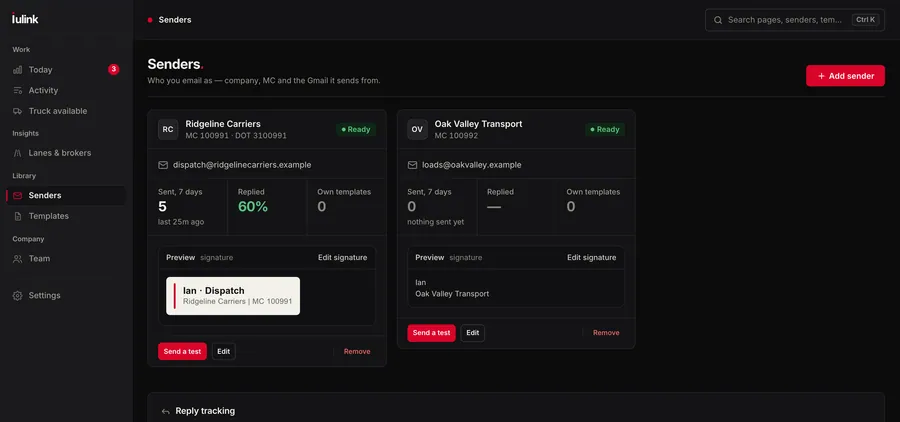 Swipe sideways · tap to enlarge
 Swipe sideways · tap to enlarge
 Swipe sideways · tap to enlarge
 Swipe sideways · tap to enlarge
Your mailbox stays yours.
Built for dispatchers who send from carriers’ mailboxes all day. It does the sending and nothing else. Read the privacy policy.
Three steps to a faster board.
- 01
Add it to Chrome.
Start the trial and we send the install link within one business day. IULink shows up on DAT One and Truckstop the next time you open them.
- 02
Connect your senders.
Connect each carrier’s Gmail with Google sign-in, set its signature and write your templates once.
- 03
Work the board.
Email, check, call and follow up from the row. Invite your dispatchers by email when you want the team dashboard. Your first 150 broker emails are free.
Questions dispatchers ask.
Does it read my email?
No. By default it can only send email from your Gmail. If you turn on reply tracking, it reads only the sender and date of replies to emails it sent for you — never message contents, and nothing else in your inbox.
Which load boards does it work on?
DAT One and Truckstop, in Google Chrome. You keep your own board subscriptions; IULink adds its tools on top of the results you already see. It isn't affiliated with DAT or Truckstop.
I dispatch for several MCs. Can each one email from its own address?
Yes — that's what it was built for. Add a sender for each carrier with its own Gmail, signature and templates. Pick the carrier and the email goes out from that carrier's own mailbox.
Can I email several loads at once?
Yes. Ctrl+click the loads you want (⌘+click on a Mac) and press Send in the IULink bar. Each broker gets their own email with that load’s details, from the sender you picked, paced so Gmail doesn’t flag you. Loads you already emailed and blocked brokers are skipped, and you have 5 seconds to undo.
Do I need IULink TMS or IULink dispatch to use it?
No. The extension works on its own. Our dispatch desk uses it every day, but you don't need any other IULink product.
How does the free trial work?
Every company starts with 150 free broker emails, with every feature on. After that it's a monthly subscription per dispatcher; we go over it with you before the trial runs out.
Is it on the Chrome Web Store?
The store listing is on its way. Until then we onboard dispatch teams directly: start the trial and we send the install link within one business day. You install it from that link; Chrome treats it like any other extension.
Can I use it alone, without a team?
Yes. Without a team workspace everything stays on your computer. Create a workspace when you want to invite dispatchers by email and see the team dashboard.
Get on the board before the next load posts.
Tell us your company, how many dispatchers you have and which boards you use. We’ll send the install link and get your senders connected. Your first 150 broker emails are free.
Want us to dispatch for you instead?